



Top 8 Invoice Management Software for Startups and SMBs in 2026
1. Mysa

What is Mysa?
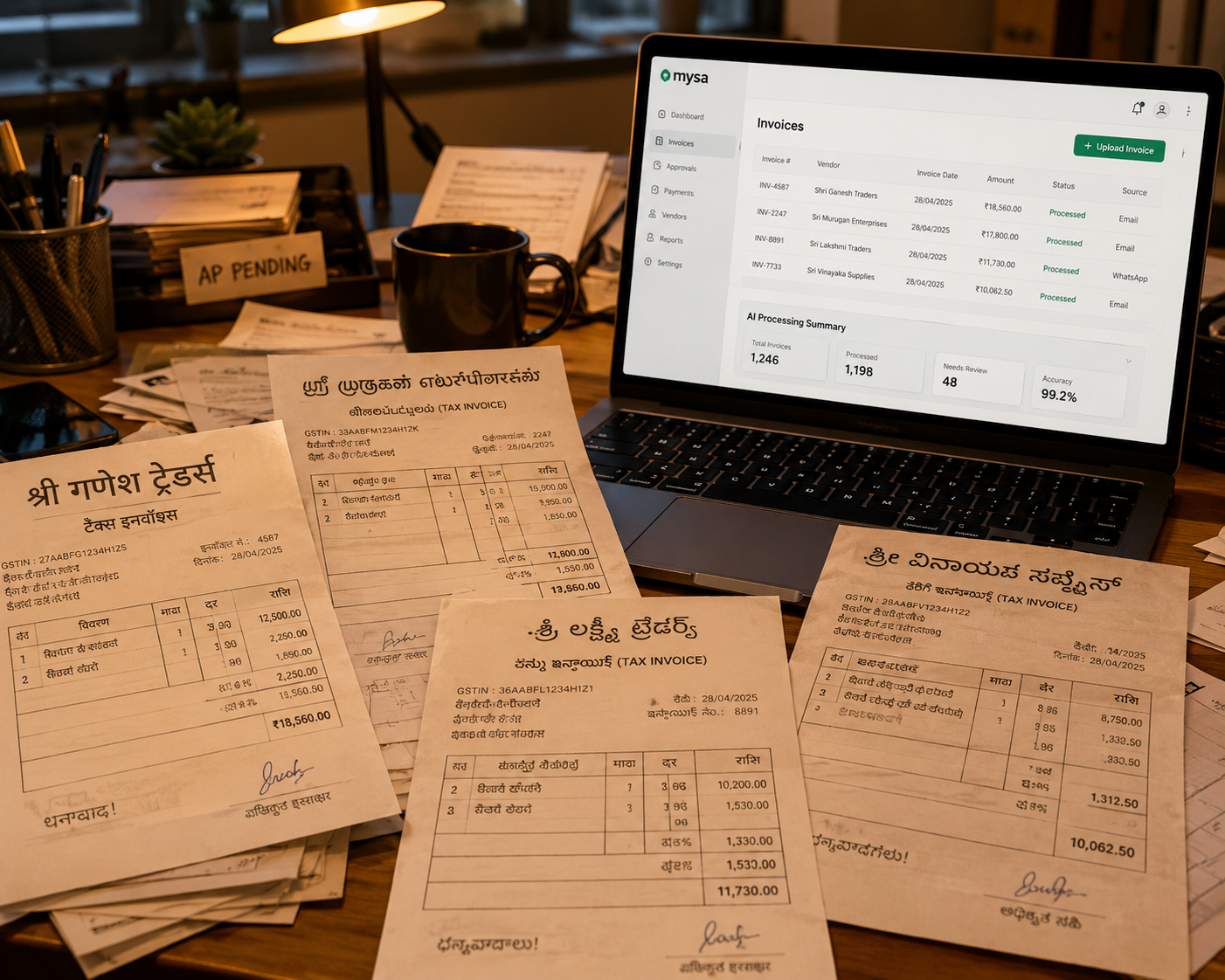
Mysa is more than just an invoice management system; it's a comprehensive financial automation platform designed specifically for the Indian market. By seamlessly integrating accounting, banking, and tax systems, Mysa addresses a critical pain point for growing businesses: the lack of synchronization between these essential financial components.
At its core, Mysa automates the entire journey from accounts payable to payment processing. This automation leads to improved tracking, enhanced control, and unparalleled compliance – all crucial elements for businesses navigating the complex Indian financial landscape.
Pros of Mysa
- Intelligent Invoice Processing: Mysa is the first platform in India to accurately interpret invoice data in the context of local tax regulations, including GST, TDS, and RCM. This feature alone sets it apart as the best invoice management software for businesses dealing with India's unique tax structure.
- Rule-Based Accounting Automation: The platform fully automates rule-based accounting across bill, expense, and payment entries. This automation reduces manual errors and frees up finance teams to focus on strategic tasks.
- Advanced Validation Engine: Mysa's proprietary validation engine performs over 22 checks during the invoice processing journey. These checks include identifying duplicates, TDS interest penalties, amount mismatches, and bill number changes, among others. This feature significantly enhances governance and control in the finance function.
- AI-Enhanced User Experience: Leveraging generative AI, Mysa auto-generates invoice titles and suggests expense categorizations, streamlining the user experience and reducing manual input.
- Fraud Detection: The software's advanced algorithms help companies spot potential fraud and duplication, adding an extra layer of security to financial operations.
- Integrated Banking Services: Mysa offers a smart business bank account in partnership with YES Bank, which integrates seamlessly with the platform. This integration bridges the gap between invoice management software for small business and banking services.
- Scalability: With modules for Accounts Receivable, Treasury, and Credit Card management, Mysa is designed to grow with your business, making it an ideal choice for ambitious startups and SMBs.
Cons of Mysa
- Lack of Additional Features: While Mysa excels in invoice management and financial automation, it may lack some additional features that more established invoice management software solutions offer. This could potentially limit its functionality for businesses with very specific or niche requirements.
- Market Newness: As a relatively new player in the invoice management software market, Mysa carries some inherent risks. Early adopters may experience occasional updates or changes as the platform evolves, which could temporarily impact workflow.
- Limited Enterprise Support: Mysa is primarily designed for startups and SMBs with annual revenues between 10 crore and 500 crore. It may not fully support the complex needs of large enterprises, limiting its applicability for bigger corporations.
- Learning Curve: As with any comprehensive invoice management system, there may be a learning curve for teams transitioning from manual processes or simpler systems. Users might need time to fully leverage all of Mysa's features and adapt to its automated workflows.
Best For
Mysa is ideally suited for:
- Indian startups and SMBs with annual revenues between 10 crore and 500 crore
- Companies looking to automate invoice approval workflows and streamline their accounts payable processes
- Businesses dealing with complex tax structures and requiring accurate GST, TDS, and RCM handling
- Organizations seeking to improve financial governance and control
- Companies looking for an integrated solution that combines invoice management with banking services
- New age companies working on slack and want slack approvals and notifications.
Try Mysa's GST Calculator ➡️
Conclusion
In the realm of invoice management software, Mysa stands out as a game-changer for Indian startups and SMBs. By addressing the unique challenges of the Indian financial ecosystem, Mysa offers a comprehensive solution that goes beyond simple invoice processing.
Its intelligent automation, advanced validation capabilities, and integration with banking services make it an invaluable tool for businesses looking to scale efficiently. The platform's ability to handle complex tax regulations while providing insights for better cash flow management positions it as a strategic partner for growing companies.
While there may be a learning curve associated with implementing such a comprehensive system, the long-term benefits in terms of accuracy, efficiency, and compliance far outweigh the initial adjustment period. For businesses ready to take their financial operations to the next level, Mysa offers a compelling solution that can grow and adapt with their needs.
As invoice processing checks become increasingly crucial for maintaining financial health, Mysa's advanced features provide a competitive edge. By automating routine tasks and providing deep insights, Mysa empowers finance teams to focus on strategic decision-making rather than getting bogged down in manual processes.
In conclusion, for Indian startups and SMBs looking to optimize their invoice management and financial operations in 2026, Mysa emerges as the top choice. Its blend of automation, intelligence, and integration capabilities makes it more than just software – it's a partner in your business growth journey.
2. SAP Business One

What is SAP Business One?
SAP Business One is an enterprise resource planning (ERP) software designed specifically for SMBs. While it covers a wide range of business functions, its capabilities as an invoice management system are particularly noteworthy. The platform aims to streamline key processes, including financials, purchasing, inventory, and customer relationships, providing businesses with greater control and insight into their operations.
Pros of SAP Business One for Invoice Management
- Comprehensive Functionality: SAP Business One offers a wide array of features that cover various aspects of invoice processing in accounts payable. This all-in-one approach reduces the need for multiple systems, streamlining your financial operations.
- Customization Options: The software's flexibility allows businesses to tailor it to their specific needs. Custom modules, reports, and workflows can be created to match your unique invoice routing and approval processes.
- Integration Capabilities: SAP Business One seamlessly integrates with other SAP products and third-party applications, ensuring smooth data flow across departments. This integration is crucial for maintaining data consistency and accuracy in your invoice approval workflows.
- User-Friendly Interface: Many users find the interface intuitive, which aids in quicker adoption, especially for staff who may not be tech-savvy. This ease of use is particularly beneficial when implementing new accounts payable automation processes.
- Scalability: As your business grows, SAP Business One can adapt to your changing needs, making it a long-term solution for evolving SMBs.
Cons of SAP Business One for Invoice Management
- Complex Implementation: The implementation process can be challenging and time-consuming, often requiring expert consultants. This complexity may be a hurdle for smaller businesses without dedicated IT teams.
- Cost Considerations: The initial investment and ongoing costs for SAP Business One can be substantial, especially for SMBs. These expenses include licensing fees, implementation costs, and periodic maintenance.
- Performance Issues: Some users report slower performance when dealing with large data sets or complex calculations, which could impact the efficiency of your invoice processing checks.
- Learning Curve: While the interface is user-friendly, fully leveraging SAP Business One's capabilities often requires significant training. This learning curve might delay the realization of benefits from your invoice management software for small business.
- Limited Functionality for Larger Enterprises: While ideal for SMBs, SAP Business One may have limitations for larger organizations with more complex invoice management needs.
Best For: Small to Medium-Sized Businesses Across Industries
SAP Business One is particularly well-suited for:
- Manufacturing companies seeking integrated inventory and financial management
- Retail businesses requiring robust point-of-sale integration
- Distribution companies needing strong supply chain management features
- Service-based businesses looking for project management and CRM integration
- SMBs aiming to scale their operations with a comprehensive ERP solution
The software's flexibility makes it adaptable to various industries, but it shines brightest in sectors where inventory management, financial control, and customer relationship management intersect with invoice processing needs.
Conclusion
SAP Business One offers a robust solution for SMBs looking to streamline their invoice management processes within a comprehensive ERP framework. Its strengths lie in its all-in-one approach, customization options, and scalability. However, the complexity of implementation and potentially high costs may give some smaller businesses pause.
For CFOs, finance managers, and SMB owners seeking to optimize their accounts payable processes, SAP Business One presents a powerful option worth considering. It's particularly valuable for businesses anticipating growth and wanting a solution that can evolve with them.
However, it's crucial to weigh the pros and cons carefully against your specific business needs, budget, and technical resources. While SAP Business One offers comprehensive features, businesses should assess whether this level of functionality aligns with their current and future invoice management requirements.
3. RazorpayX

What is RazorpayX?
RazorpayX, formerly known as Opfin, is a comprehensive financial management platform designed to simplify various aspects of business operations, including invoice management, accounts payable, payroll, and reimbursements. This all-in-one solution aims to provide a seamless banking experience for business owners, making it an attractive option for startups and SMBs looking to streamline their financial processes.
Key Features of RazorpayX
- Invoice Management: RazorpayX offers a centralized dashboard for managing all invoices, allowing businesses to stay on top of vendor payments with just a few clicks.
- Corporate Cards: The platform provides corporate cards with dynamic credit limits of up to Rs. 20 lakhs, catering specifically to the needs of startups and small businesses.
- HR and Payroll Management: RazorpayX simplifies attendance tracking, leave management, and payroll processing, including tax deductions and direct bank deposits.
- Reimbursement Handling: Employees can easily request reimbursements and securely store their documents on the platform.
- Integrations: RazorpayX integrates with popular accounting software like QuickBooks, Tally, and ZohoBooks, as well as communication tools like Slack.
Pros of RazorpayX
- User-Friendly Interface: Many users praise the platform's ease of use and intuitive design, making it accessible even for those without extensive financial expertise.
- Real-Time Expense Visibility: The corporate card feature provides instant insights into business expenses, helping companies stay within budget.
- Streamlined Payroll Processing: RazorpayX simplifies payroll management, handling tax deductions and generating clear payslips automatically.
- Efficient Invoice Management: Users appreciate the ability to manage invoices from a single dashboard, with features like bulk bill uploads and email forwarding.
- International Transaction Support: The platform supports international transactions, making it suitable for businesses with global operations.
- Security Features: RazorpayX employs advanced security measures to protect financial data and transactions.
- Quick Approval Process: Many users report instant approval for corporate cards, based on business performance rather than traditional credit scores.
Cons of RazorpayX
- Limited Integrations: Some users feel that RazorpayX could improve its integration capabilities with third-party software and tools.
- Customer Support Issues: A few reviewers have reported challenges in reaching customer support or receiving timely assistance.
- Fees: Some users find the platform's fees, including registration and annual maintenance fees for corporate cards, to be on the higher side.
- UI Clutter: Some users report that navigating between different modules can be challenging due to a cluttered user interface.
- Minor Bugs: While not deal-breakers, some users have encountered minor bugs in the system.
Best For
RazorpayX is particularly well-suited for:
- Indian Startups: The platform's features and credit offerings are tailored to meet the unique needs of growing businesses in India.
- Small to Medium-sized Businesses (SMBs): Companies looking to streamline their financial processes without investing in multiple separate tools will find RazorpayX beneficial.
- Tech-Savvy Businesses: Organizations comfortable with digital solutions and looking for an all-in-one financial management platform will appreciate RazorpayX's offerings.
- Companies Seeking to Automate Financial Processes: RazorpayX's automation capabilities in invoice processing, payroll, and reimbursements can significantly reduce manual workload.
Conclusion
RazorpayX stands out as a robust invoice management software solution for Indian startups and SMBs in 2026. Its comprehensive feature set, including invoice management, corporate cards, and payroll processing, makes it a strong contender in the financial management space. While it has some limitations, such as limited international presence and integration capabilities, its strengths in providing real-time expense visibility and streamlined financial processes make it worth considering for businesses looking to optimize their financial operations.
Still weighing your options? Use our AP Audit tool to find the best Invoice Automation solution for your business! ➡️
4. Open Money

What is Open Money?
Open Money is an all-in-one business finance management platform that combines banking services with automated accounting, payments, invoicing, auto-reconciliation, payroll, and expense management. It's designed to simplify financial operations for SMEs, enterprises, and freelancers in India.
As a Source-to-Pay (S2P) solution, Open Money offers scalable pricing plans tailored to different stages of the business cycle. It's particularly beneficial for startups with a monthly transaction volume of at least 10 Lakh Rupees, making it a versatile choice for growing businesses.
Pros of Open Money
- Comprehensive Financial Management: Open Money integrates banking services with various financial management tools, providing a one-stop solution for businesses.
- Automated Accounts Payable: The platform automates several aspects of the accounts payable process, enhancing efficiency and reducing manual errors.
- Advanced Governance and Control Features:
- OCR Technology for digitizing paper invoices
- Customizable invoice templates
- 3-Way Matching for invoice verification
- Multi-Level Approval Workflows
- Automated Recurring Payments
- Fraud Prevention: The 3-Way Matching feature helps identify and eliminate duplicate invoices, reducing the risk of fraudulent payments.
- Seamless Integrations: Open Money integrates with popular accounting software like Tally, Zoho Books, Microsoft Dynamics, and Oracle NetSuite, facilitating data exchange and streamlining workflows.
- Purchase Order Support: Open Money includes bill pay functionality based on documented purchase orders, helping businesses track and categorize expenses effectively.
- User-Friendly Interface: Many users praise the platform's ease of use and intuitive design.
- Cloud-Based Platform: This ensures data security and accessibility from anywhere.
Cons of Open Money
- Mobile App Limitations: Some users report that the mobile app is not as user-friendly as the desktop version and lacks certain features.
- Payment Processing Delays: A few reviews mention occasional delays in payment processing, especially on weekends.
- Limited Payroll Flexibility: Some users wish for more frequent payroll options beyond the current monthly schedule.
- Technical Glitches: A few users have reported occasional technical issues, particularly during the initial setup phase.
- Customer Support Availability: Support is not available 24/7, which can be an issue for businesses operating outside standard hours.
Best For
Open Money is particularly well-suited for:
- Indian Startups and SMBs: The platform is designed to meet the specific needs of growing businesses in India.
- Businesses with High Transaction Volumes: It's especially beneficial for companies processing at least 10 Lakh Rupees in monthly transactions.
- Companies Seeking Financial Integration: Businesses looking to combine banking, accounting, and payment processing in one platform will find Open Money valuable.
- Firms Prioritizing Automation: Organizations aiming to automate their invoice processing and accounts payable workflows will benefit from Open Money's features.
- Businesses Requiring Customizable Approval Workflows: The multi-level approval workflows make it ideal for companies with complex approval processes.
Conclusion
Open Money stands out as a robust invoice management system that offers a wide range of features tailored to the needs of Indian startups and SMBs. Its integrated approach to financial management, combined with powerful automation capabilities, makes it a strong contender in the market.
However, like any software solution, it has its pros and cons. Businesses should carefully consider their specific requirements, transaction volumes, and growth plans when evaluating Open Money as their invoice management solution.
5. Expenzing

What is Expenzing Accounts Payable?
Expenzing Accounts Payable is an advanced invoice management system designed to revolutionize the accounts payable process for businesses. This software leverages intelligent automation to streamline invoice processing, enhance accuracy, and improve overall financial management.
Key features of Expenzing Accounts Payable include:
- Robotic Process Automation (RPA) for five-way invoice verification
- Built-in query resolution engine for vendor communication
- Automated tax calculations (GST and TDS)
- Fraud detection mechanisms
- Integration with popular ERP systems
- "Flip to Invoice" feature for converting purchase orders to invoices
By automating up to 89% of AP processes, Expenzing aims to significantly reduce manual work and potential errors in invoice processing.
Pros
- Accuracy: The five-way verification process minimizes errors and ensures only valid invoices are processed for payment.
- Compliance: Automated tax calculations and fraud detection help businesses stay compliant with Indian regulations.
- Cost Savings: By streamlining processes and reducing errors, Expenzing can help cut down on unnecessary expenses and late payment penalties.
- Vendor Relationships: Improved communication and faster payment cycles can lead to better relationships with vendors.
- Scalability: The software can handle complex governance tasks, making it suitable for growing businesses with increasing invoice volumes.
Cons
- Learning Curve: Some users report an initial learning curve when implementing the software.
- Integration Challenges: While Expenzing offers integration with various ERP systems, some users have reported initial difficulties in this area.
- Resource Intensive: The software may require significant computational resources, which could be a concern for businesses with limited IT infrastructure.
Best For
Expenzing Accounts Payable is particularly well-suited for:
- Financial Services Industry: Banks, insurance companies, and other financial institutions can benefit from its robust features.
- Mid to Large-sized Enterprises: Companies with 500+ employees seem to benefit most from the comprehensive features offered by Expenzing.
- Businesses with Complex AP Processes: Organizations dealing with a high volume of invoices and complex approval workflows will find Expenzing's automation capabilities particularly valuable.
- Companies Seeking to Improve Compliance: The software's robust tax handling and fraud detection features make it ideal for businesses prioritizing regulatory compliance.
Conclusion
As we navigate the complex financial landscape of 2026, having a robust invoice management solution is crucial for Indian startups and SMBs. Expenzing Accounts Payable offers a comprehensive suite of features designed to automate, streamline, and optimize the accounts payable process.
While the software may have a learning curve and require significant resources, its benefits in terms of efficiency, accuracy, and compliance make it a strong contender for businesses looking to help their invoice management processes.
For businesses considering Expenzing or any other invoice management software for small business, it's essential to carefully evaluate your specific needs and consider factors beyond just features. Expenzing's track record in the Indian market and its focus on local business needs make it a compelling choice for many organizations.
6. Volopay

What is Volopay?
Volopay is a comprehensive financial solution provider that offers much more than just invoice management software. It's an all-in-one platform that combines corporate cards, automated expense management, and accounting integrations. This makes it a powerful tool for businesses looking to streamline their financial operations, particularly in the realm of accounts payable automation.
At its core, Volopay's invoice management system is designed to simplify and automate the often complex process of handling invoices. It offers features such as bill pay automation, vendor management, and spend transparency, all of which contribute to a more efficient invoice processing in accounts payable.
Pros of Volopay
- Ease of Use: Many users praise Volopay for its user-friendly interface and intuitive design. This ease of use makes it accessible even for team members who may not be financially savvy.
- Comprehensive Expense Tracking: Volopay excels in tracking expenses across the organization. Its real-time tracking capabilities allow for better financial oversight and control.
- Virtual Cards: The platform offers virtual cards, which are particularly useful for managing online subscriptions and purchases. This feature adds an extra layer of security and control to financial transactions.
- Multi-Currency Support: For businesses operating globally, Volopay's multi-currency support is a significant advantage. It simplifies international transactions and expense management across different currencies.
- Integrations: Volopay integrates seamlessly with popular accounting software like Zoho Books, and NetSuite. This integration capability ensures smooth invoice routing and data synchronization.
- Automated Workflows: The platform allows for the creation of custom approval workflows, which can significantly speed up the invoice approval process.
Cons of Volopay
- Learning Curve: While generally user-friendly, some users report a steeper learning curve, especially for junior employees or those less familiar with financial software.
- Limited USD Support: Some users have reported that the debit card doesn't support USD, which could be a drawback for businesses that frequently deal in US dollars.
- Customer Support: While some users praise Volopay's customer support, others have reported issues with response times and resolution of complex problems.
- Mobile App Functionality: There have been some reports of functionality issues with the mobile app, although recent updates seem to have addressed many of these concerns.
- Manual Invoice Creation: Some users note that invoice creation on Volopay is largely manual, suggesting room for improvement in automation for this specific feature.
Best For
Volopay's invoice management software is particularly well-suited for:
- Startups and SMBs: The platform's scalability and comprehensive feature set make it an excellent choice for growing businesses that need a flexible financial solution.
- Companies with International Operations: Thanks to its multi-currency support and competitive foreign exchange rates, Volopay is ideal for businesses that frequently deal with international transactions.
- Businesses Seeking to Automate Financial Processes: Companies looking to streamline their accounts payable cycle and automate financial workflows will find Volopay's features particularly beneficial.
- Organizations Prioritizing Spend Control: The platform's robust expense tracking and virtual card features make it an excellent choice for businesses looking to gain better control over their spending.
- Companies in Tech and Service Industries: While Volopay can benefit businesses across various sectors, its features seem particularly well-suited to tech startups and service-based businesses that deal with numerous online transactions and subscriptions.
Conclusion
Volopay stands out as a strong contender in the invoice management software market for Indian startups and SMBs in 2026. Its comprehensive approach to financial management, which goes beyond simple invoice processing, offers significant value to growing businesses.
The platform's strengths lie in its user-friendly interface, robust expense tracking capabilities, and features like virtual cards and multi-currency support. These make it particularly suitable for businesses with international operations or those looking to scale rapidly.However, potential users should be aware of the learning curve associated with the platform and some reported issues with customer support and mobile app functionality. It's also worth noting that while Volopay offers many automated features, some aspects of invoice creation still require manual input.
For startups and SMBs looking to streamline their invoice processing and overall financial management, Volopay offers a compelling solution. Its ability to integrate with popular accounting software and provide comprehensive spend visibility makes it a valuable tool for businesses aiming to optimize their financial operations.
7. Enkash Olympus Payables

What is EnKash?
EnKash is an affordable and user-friendly invoice management software for small business operations. Primarily positioned as an Accounts Payable (AP) solution for SMEs, EnKash's Olympus platform offers a range of features designed to simplify and automate financial processes. While it's scalable to handle increasing transaction volumes, it may not have all the advanced features required for complex AP processes in large enterprises.
Pros of EnKash
- Streamlined Rental Receipt Management: EnKash simplifies the process of managing rental receipts, making it easier for businesses to collect rent payments electronically and generate digital receipts with detailed information.
- Automated Tax Payment Reminders: The software helps businesses stay on top of tax deadlines by providing timely reminders for upcoming payments, reducing the risk of penalties.
- Centralized Tax Management View: EnKash offers a comprehensive overview of upcoming tax liabilities and past payments, empowering businesses to make informed financial decisions.
- Payable Analytics Dashboard: Real-time insights into accounts payable data allow businesses to identify areas for improvement and optimize payment schedules.
- Custom Maker-Checker Workflow: This feature enables businesses to establish custom approval processes for AP transactions, enhancing internal controls and preventing errors or fraudulent activity. It allows for efficient invoice routing to appropriate approvers, speeding up the approval process.
- Automation of Repeated Payments: EnKash allows for the automation of recurring payments to vendors with fixed amounts and schedules, reducing the likelihood of errors.
- Enhanced Fraud Prevention: The software includes features like Bank Account Verification (BAV) and enhanced vendor Know Your Customer (KYC) processes to mitigate the risk of fraudulent activity. These robust security features help businesses implement top invoice processing checks to protect against financial fraud.
- Integration Capabilities: While EnKash primarily offers direct integration with Tally, it provides robot APIs that allow integration with various ERPs, enabling automated entry and seamless reconciliation.
- Banking Payout Functionalities: EnKash offers features like Single Click Bulk Payments with OTP (Express Pay) and Multi-Branch Payments, streamlining the payment process for businesses with multiple locations.
- Virtual Cards: The software provides secure virtual cards for online vendor payments, with pre-defined spending limits and specific purchase restrictions.
Cons of EnKash
- Limited Direct Integrations: EnKash's Olympus platform only offers direct integration with Tally, which may be a limitation for businesses using other accounting software.
- Potential Complexity for Very Small Businesses: While EnKash is designed for SMBs, some of its features may be overly complex for very small businesses or solopreneurs.
- May Lack Advanced Features for Large Enterprises: EnKash might not have all the sophisticated features required for intricate accounts payable processes in large corporations.
Best For
EnKash is particularly well-suited for a variety of businesses and use cases within the Indian market:
- Small to Medium-Sized Businesses (SMBs): EnKash offers a comprehensive invoice management system that caters to the needs of growing businesses, providing scalability as transaction volumes increase.
- Startups: As an affordable and user-friendly AP solution, EnKash is ideal for startups looking to establish robust financial processes from the outset.
- Real Estate and Property Management Companies: With its streamlined rental receipt management feature, EnKash is excellent for businesses managing multiple properties and dealing with regular rent collections.
- Businesses with Multi-Branch Operations: The multi-branch payment functionality makes EnKash a great fit for companies with multiple locations across India.
- Companies Seeking AP Automation: EnKash offers end-to-end accounts payable automation, making it ideal for businesses looking to streamline their entire AP workflow, from invoice processing to payment execution.
- Businesses with High Invoice Volumes: The software's automation capabilities make it particularly useful for companies dealing with a large number of invoices regularly.
- Finance Teams Seeking Analytics: The payable analytics dashboard makes EnKash an excellent choice for finance managers and CFOs who want data-driven insights to optimize their AP processes.
- Companies Using Tally: While EnKash offers API integration with various ERPs, its direct integration with Tally makes it especially suitable for businesses already using this popular accounting software.
- Businesses Looking to Optimize Cash Flow: With features like automated payments and virtual cards, EnKash is ideal for companies aiming to improve their cash flow management.
Conclusion
EnKash emerges as a strong contender in the invoice management software landscape for Indian startups and SMBs in 2026. Its combination of user-friendly features, fraud prevention capabilities, and focus on the Indian market makes it an attractive option for businesses looking to optimize their accounts payable processes.
While it may not be the perfect fit for very large enterprises or businesses requiring extensive direct integrations, EnKash offers a robust set of features that can significantly improve financial management for most small to medium-sized businesses. Its tailored approach to the Indian market, including support for local tax regulations and payment systems, sets it apart as one of the top accounts payable software for Indian startups.
As you consider implementing an invoice management solution for your business, it's worth exploring EnKash alongside other options to find the best fit for your specific needs. Remember, the right software can not only streamline your processes but also provide valuable insights to drive your business forward.
8. Oracle Netsuite

What is Oracle NetSuite's Accounts Payable Module?
Oracle NetSuite's Accounts Payable module is part of its comprehensive Enterprise Resource Planning (ERP) suite. This invoice management software is designed to automate and streamline the entire accounts payable process, from invoice capture to payment processing. It offers a range of features aimed at improving efficiency, accuracy, and control over financial operations.
Pros of Oracle NetSuite's AP Module
- Real-Time Information Access: The software provides instant access to critical AP information, including aging reports, check registers, invoices awaiting approval, and payments in transit. This real-time visibility enables better financial decision-making and cash flow management.
- Integrated Solution: As part of the NetSuite ERP suite, the AP module integrates seamlessly with other financial and operational functions. This integration allows for a unified view of the entire procure-to-pay process, enhancing collaboration between departments and providing a holistic approach to financial management.
- Customizable Dashboards and Reporting: Users can configure dashboards, key performance indicators (KPIs), and alerts to suit their specific needs. This customization ensures that finance teams can easily track and manage the metrics that matter most to their business.
- Vendor Management: The software includes robust vendor record management capabilities, allowing businesses to maintain detailed information about their suppliers and streamline vendor relationships.
- Purchase Order Integration: The AP module integrates with purchase orders, enabling automatic matching of invoices to the correct vendor and PO. This feature helps in maintaining accuracy and reducing the time spent on manual reconciliation.
- Automated Journal Entries: By automating journal entries, the software eliminates the need for manual data entry of debits and credits, saving time and ensuring accurate payment recording.
- Cloud-Based Solution: Being cloud-based, NetSuite offers the advantages of accessibility from anywhere, automatic updates, and reduced IT infrastructure costs.
Cons of Oracle NetSuite's AP Module
- Limited AP Automation: Some users have reported that the AP automation features are not as advanced as standalone AP automation tools. Manual intervention may still be required for certain processes, such as PDF invoice uploads.
- Complex Implementation: The implementation process can be lengthy and complex, often requiring the expertise of an implementation partner. This can lead to extended setup times and additional costs.
- Steep Learning Curve: Due to its comprehensive nature, new users may face a steep learning curve when getting accustomed to the system's various features and functionalities.
- Cost Considerations: Compared to some standalone AP solutions, NetSuite's AP module can be more expensive, especially when considering the cost of the entire ERP suite.
- Potential Overkill for Small Businesses: For very small businesses or those with simple AP needs, NetSuite's robust features may be more than necessary, potentially leading to underutilization of the system.
- Bank Integration Limitations: Some users have reported limitations in bank integrations, which may require workarounds or additional third-party solutions.
Best For
Oracle NetSuite's AP module is best suited for:
- Mid-sized to Large Enterprises: Companies with complex financial operations and a need for comprehensive ERP functionality will benefit most from NetSuite's integrated approach.
- Fast-Growing Startups: Startups experiencing rapid growth and looking for a scalable solution that can accommodate increasing financial complexity over time.
- Businesses Seeking Financial Process Integration: Organizations that want to integrate their AP processes with other financial and operational functions for a more holistic approach to business management.
- Companies with Multi-Entity or Multi-Currency Needs: NetSuite's AP module is well-suited for businesses operating across multiple entities or dealing with multiple currencies.
- Industries with Complex Supply Chains: Manufacturing, wholesale distribution, and retail businesses with intricate supplier networks and procurement processes can benefit from NetSuite's comprehensive vendor and PO management features.
Conclusion
While Oracle NetSuite's Accounts Payable module offers a robust set of features for invoice management and financial process automation, it's essential for Indian startups and SMBs to carefully evaluate their specific needs and resources before committing to this solution. For businesses looking for a comprehensive ERP system with strong AP capabilities, NetSuite can be an excellent choice. However, smaller businesses or those with simpler AP needs might find more value in standalone invoice management software solutions.
As the invoice management system landscape continues to evolve, it's crucial to stay informed about the latest developments and alternatives in the market. Consider exploring other options and comparing them against NetSuite to find the best fit for your business's unique requirements.
What is Invoice Management Software?
Invoice management software is a digital tool that helps businesses handle their invoices in one centralized platform. Instead of manually tracking invoices through spreadsheets or emails, the software automates key steps like invoice capture, approvals, payments, and record-keeping.
For Indian startups and SMBs, this means no more chasing vendors for payment details or dealing with misplaced bills. The system ensures invoices are organized, validated against purchase orders, and paid on time—while keeping your financial data compliant and audit-ready.
In short, invoice management software replaces messy, manual invoice handling with a streamlined, automated process.
Why Should I Automate Invoice Processing?
Manual invoice processing is slow, error-prone, and costly. A single invoice often requires multiple steps—data entry, approvals, compliance checks, payment scheduling—which can eat up valuable time for finance teams.
By automating this process, businesses can:
- Save time: Reduce hours spent on repetitive tasks.
- Minimize errors: Eliminate mistakes from manual data entry.
- Improve vendor relationships: Pay vendors on time, strengthening trust.
- Boost efficiency: Teams focus on strategic tasks instead of paperwork.
- Ensure compliance: Stay aligned with GST, tax laws, and audit requirements.
For startups and SMBs, automation is not just about convenience—it directly improves cash flow management and financial control.
Benefits of Automated Invoice Processing
The real value of automation lies in the measurable benefits it delivers. Some key advantages include:
- Faster Invoice Cycle Times – With automated bill payment systems, invoices get approved and paid in days, not weeks, eliminating manual bottlenecks between approval and execution.
- Lower Processing Costs – Companies save money on paperwork, admin hours, and error corrections.
- Better Cash Flow Visibility – Finance teams always know upcoming payables and can plan budgets effectively.
- Scalability – As your business grows, the software can easily handle more invoices without adding manpower.
- Fraud Prevention & Accuracy – Automated systems flag duplicates, errors, or suspicious invoices.
Automation ensures businesses stay lean, efficient, and ready for growth.
How to Choose the Best Invoice Management Software?
Selecting the right invoice management software for your Indian startup or SMB is a crucial decision that can significantly impact your financial operations. Here are key factors to consider when evaluating your options:
1. Understand Your AP Process Requirements
The first step in choosing the best invoice management software is to clearly define your automation needs. This involves:
- Identifying specific challenges within your current invoice processing workflow
- Listing essential features that will address these challenges
- Considering any unique requirements of your industry or business model
For example, if invoice routing is a pain point in your current process, look for software that offers advanced routing capabilities.
2. Evaluate Scalability and Flexibility
As your business grows, your invoice management needs will likely evolve. Choose software that can:
- Accommodate an increasing volume of invoices
- Add new features or modules as needed
- Adapt to changing business processes and regulations
Scalability ensures that your chosen solution will continue to meet your needs as your startup or SMB expands.
3. Ensure Integration Capabilities
The best invoice management software should integrate seamlessly with your existing systems, including:
- Enterprise Resource Planning (ERP) software
- Accounting software
- Other financial management tools
Smooth integration maintains data consistency across your business functions and streamlines operations. It's particularly important for startups and SMBs that may be using a variety of tools to manage different aspects of their finances.
4. Prioritize User-Friendliness
An intuitive interface is crucial for maximizing adoption rates among your staff. Look for software that offers:
- A clean, easy-to-navigate dashboard
- Clear instructions and tooltips
- Customizable views to suit different user preferences
Remember, the most feature-rich software is only valuable if your team can effectively use it. Consider requesting demos or free trials to assess the user experience firsthand.
5. Assess Security and Compliance Features
Given the sensitive nature of financial data, robust security measures are non-negotiable. Ensure the software you choose includes:
- End-to-end encryption
- Multi-factor authentication
- Regular security updates
Additionally, the software should support compliance with Indian regulatory requirements, such as GST regulations and data protection laws.
6. Review Vendor Reputation and Support Services
The quality of customer support can make or break your experience with invoice management software. Research potential vendors by:
- Reading customer reviews and case studies
- Checking their track record in the Indian market
- Assessing the availability and quality of their support services
Look for vendors that offer comprehensive onboarding, training, and ongoing support to ensure you can fully leverage the software's capabilities.
7. Consider Cost and ROI
While price shouldn't be the only factor, it's an important consideration for startups and SMBs. Evaluate the software's cost in relation to:
- The features offered
- Potential time and cost savings
- Scalability of pricing as your business grows
Some vendors offer flexible pricing models that can be particularly attractive for smaller businesses or those just starting with automation.
8. Look for AI and Machine Learning Capabilities
Advanced invoice management software often incorporates AI and machine learning to enhance capabilities such as:
- Automatic data extraction from invoices
- Intelligent invoice matching
- Fraud detection
These features can significantly improve accuracy and efficiency in your AP processes.
By carefully considering these factors, you can select an invoice management software that not only meets your current needs but also supports your business's growth and evolution. Remember, the goal is to find a solution that streamlines your invoice approval workflows and enhances overall financial management.
Essential KPIs to Measure Invoice Processing Performance
Measuring the right KPIs is crucial to know if your invoice management software is delivering real value. By tracking these metrics, startups and SMBs can identify bottlenecks, reduce costs, and improve financial accuracy. Below are the most important KPIs, along with their meaning, formula, and an example for better clarity.
1. Invoice Processing Time
Description
This measures the average time it takes to process an invoice from receipt until final payment. Faster processing times mean better cash flow and stronger vendor relationships.
Formula
Invoice Processing Time = Total Processing Time for All Invoices ÷ Number of Invoices Processed
Example
If 500 invoices take a combined 2,500 hours to process, the average is:
2,500 ÷ 500 = 5 hours per invoice.
Automation can help bring this down to just a few minutes.
2. Cost per Invoice
Description
Represents the average cost incurred to process one invoice, including labor, technology, and overhead. Reducing this cost is a key goal for efficiency.
Formula
Cost per Invoice = Total Processing Costs ÷ Total Number of Invoices Processed
Example
If you spend ₹1,00,000 to process 10,000 invoices, the cost per invoice is:
1,00,000 ÷ 10,000 = ₹10 per invoice.
3. First-Time Match Rate
Description
Shows the percentage of invoices that match purchase orders or contracts without requiring manual corrections. A higher rate indicates smoother workflows.
Formula
First-Time Match Rate = (Number of Invoices Matched Correctly on First Attempt ÷ Total Invoices) × 100
Example
If 900 invoices out of 1,000 are matched correctly, the rate is:
(900 ÷ 1,000) × 100 = 90%.
4. Exception Rate
Description
Tracks how many invoices require manual intervention due to missing data, discrepancies, or mismatches. Lower exception rates indicate stronger automation.
Formula
Exception Rate = (Number of Exception Invoices ÷ Total Invoices) × 100
Example
If 50 out of 1,000 invoices require manual review, the exception rate is:
(50 ÷ 1,000) × 100 = 5%.
5. On-Time Payment Rate
Description
Measures the percentage of invoices paid by or before the due date. Timely payments build vendor trust and can unlock early payment discounts.
Formula
On-Time Payment Rate = (Number of On-Time Payments ÷ Total Payments) × 100
Example
If 450 out of 500 invoices are paid on time, the on-time payment rate is:
(450 ÷ 500) × 100 = 90%.
6. Automation Rate
Description
Indicates the share of invoices processed automatically without human touch. A higher automation rate typically means greater efficiency and fewer errors.
Formula
Automation Rate = (Number of Automated Invoices ÷ Total Invoices) × 100
Example
If 3,000 out of 4,000 invoices are automated, the rate is:
(3,000 ÷ 4,000) × 100 = 75%.
Transform Your Invoice Management with Mysa
Mysa is built to help Indian startups and SMBs simplify and automate their invoice processes. With AI-powered invoice routing, smart verification, and seamless integrations, Mysa saves time, reduces errors, and keeps your accounts payable running smoothly.
Get in touch with us today to see how Mysa can streamline your financial operations and take your business to the next level.
FAQs
1. What is invoice management software?
Invoice management software is a digital solution that automates and streamlines the process of creating, sending, tracking, and processing invoices. It helps businesses manage their accounts payable and receivable more efficiently, reducing manual errors and improving cash flow management.
2. What is the best invoicing software?
The best invoicing software depends on your specific business needs. Top contenders include SAP Business One, RazorpayX, and Mysa, each offering unique features suited for different business sizes and industries.
3. What software is used for invoices?
Various software solutions are used for invoices, including Zoho Invoice, and specialized solutions like Mysa. These range from basic invoicing tools to comprehensive financial management systems.
4. Does Mysa do invoice verification/check?
Yes, Mysa offers robust invoice verification and checking capabilities. Its AI-powered system performs thorough checks to ensure accuracy and compliance, significantly reducing errors and potential fraud.
5. How does the invoice workflow work in Mysa? Is it automated?
Mysa's invoice workflow is highly automated. It begins with invoice capture, followed by data extraction, verification, and routing for approval. The system uses AI to streamline these processes, reducing manual intervention and speeding up the entire cycle.
6. What communication platform can Mysa sync with for invoice approval?
Mysa can sync with popular communication platforms like Slack and Microsoft Teams for invoice approvals, ensuring seamless collaboration and faster decision-making in the approval process.
7. What are invoice management solutions?
Invoice management solutions are platforms that automate the entire accounts payable process - from receiving invoices to making payments.
Key functions include:
- Invoice capture (OCR)
- AI-based data extraction
- Validation for errors & GST/TDS
- Automated workflow approvals
- Banking/payment integration
- Real-time dashboards & audit trails
For Indian startups and SMBs, they reduce manual work, cut errors by 80–90%, and ensure GST/TDS compliance.
8. How much do invoice management solutions cost in India?
Pricing models:
- Usage-based: ₹5–₹50/invoice (e.g., Mysa, EnKash)
- Per user/month: ₹500–₹2,000 (e.g., Volopay, RazorpayX)
- Enterprise license: ₹5L–₹50L+/year (e.g., SAP, Oracle NetSuite)
- Transaction-based: % of payment volume (e.g., Open Money)
Typical monthly cost:
- Startups (< ₹10Cr): ₹10K–₹50K
- SMBs (₹10–100Cr): ₹50K–₹2L
- Mid-market (₹100–500Cr): ₹2L–₹10L
- Enterprise (₹500Cr+): ₹10L+
Hidden costs:
- Setup: ₹50K–₹10L
- Training: ₹25K–₹2L
- Integrations: ₹1L–₹5L
- Maintenance (on-prem): 15–20%
ROI: Most businesses recover costs in 6–12 months.
9. Can invoice management solutions integrate with Tally and Zoho Books?
Yes - Most modern solutions support both.
Tally Integration:
- Direct: Mysa, Open Money, EnKash, RazorpayX
- API: SAP Business One, Expenzing, Volopay
- Sync: Vendor data, invoice entries, payments, GST details
Zoho Books Integration:
- Native: Mysa, RazorpayX, Volopay, Open Money
- Zapier/API: SAP Business One, Expenzing
- Sync: Bills, vendor payments, expense entries, transactions
Benefits:
- No duplicate entries
- Auto GST reconciliation
- Real-time financial reports
- Clean audit trail
10. How long does it take to implement invoice management solutions?
Implementation depends on solution complexity:
- Quick (1–2 weeks): Mysa, RazorpayX, Volopay - for startups
- Standard (2–8 weeks): Open Money, EnKash, Expenzing - for SMBs
- Complex (3–6 months): SAP, Oracle NetSuite - for enterprises
Phases: Discovery → Configuration → Integration → Testing → Training → Go-live
Factors: Vendor migration volume, workflow complexity, ERP integration depth, and team bandwidth.
Let's empower your first employees together!
.svg)
Generate Custom JD

.svg)
.svg)
.png)
- Develop, implement, and oversee financial planning, budgeting, and forecasting processes.
- Provide insightful analysis on financial performance, trends, and KPIs to support strategic decision making.
- Prepare and present accurate and timely financial statements, including profit and loss statements, balance sheets, and cash flow statements.
- Ensure compliance with relevant accounting standards and regulations.
- Monitor and manage cash flow to ensure adequate liquidity for day-to-day operations and growth initiatives.
- Establish and maintain robust internal controls to safeguard company assets and ensure accuracy of financial records.
- Identify and mitigate financial risks through proactive analysis and appropriate strategies.
- Work closely with external tax advisors to ensure compliance with local, state, and federal tax regulations.
- Optimise tax strategies to maximize financial efficiency.
- Evaluate, implement, and manage financial systems and tools to streamline processes and improve reporting accuracy.
Email should have the subject line - #company_name | Financial Controller Application
.png)

Kanchan, as a partner, leads the business development and talent acquisition arm at MetaMorph, connecting founders to the right resources that power their growth.
Varun is part of the founding team and VP-HR at CoffeeMug. Varun has 12+ yrs of experience in leading Fortune 500 and high-growth startups, including multi-state operations; building the HR functions and teams from scratch, and leading different domains of HR.
Kanchan, as a partner, leads the business development and talent acquisition arm at MetaMorph, connecting founders to the right resources that power their growth.
.svg)
.jpg)

.png)
.png)


