Forget OCR, switch to AI scan with 99% accuracy
22+ languages supported, with in-built tax handling and validations.
Book a Demo
Watch Video
https://youtu.be/5RsxOKGdD44?si=Kd1TgmQWwFfg1-ZQ
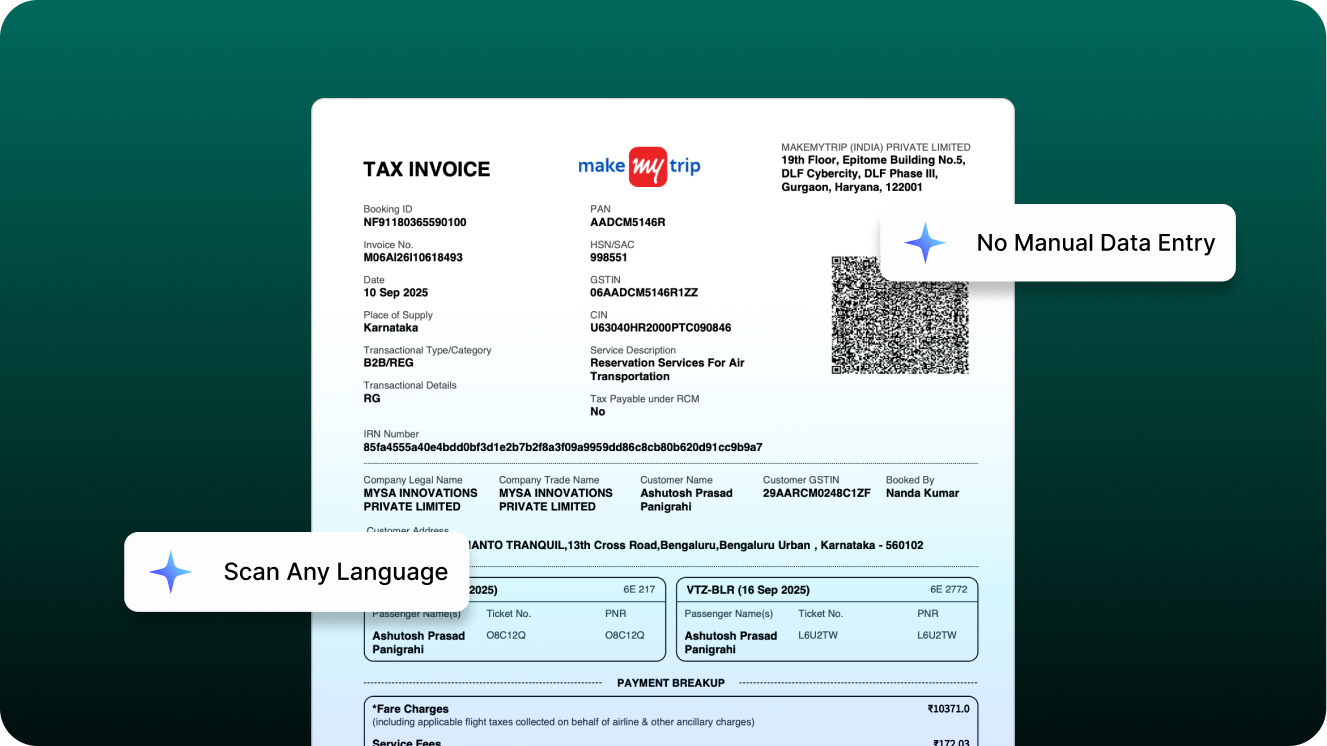
22+ languages supported, with in-built tax handling and validations.


Smart Scan handles the tedious parts of bill processing so your team can focus on verification, not data entry

Vendor info, GSTIN, PAN, amounts, and account numbers are auto-extracted for easy review and edits

Handles any language, handwritten or damaged invoices. Trained on 10,000+ Indian bills

Identifies RCM applicability, validates tax calculations, flags credit notes, and detects total mismatches..

Runs 30+ validation checks before scan output. Customise output for your bill types and workflow.
Long bills from Amazon and similar platforms with hundreds of line items can be processed in seconds. Line items are grouped by GST rate with automatic total calculations.What used to take hours now takes seconds
Bills from travel providers like MakeMyTrip are configured to apply GST only to service charges. The scan separates the bill into appropriate line items with correct tax treatment
Invoices in Hindi, Tamil, Telugu, Kannada, or any Indian language are read and processed with the same accuracy as English bills
Handles handwritten bills, crumpled or stained documents, and image-based PDFs including scanned documents
Everything you need to know about the payments
Unlike traditional OCR that only extracts text, Smart Scan is built on LLMs and trained on 10,000+ Indian bills to understand context, apply tax logic, and validate data before showing results.
It auto-extracts vendor details, GSTIN, PAN, invoice number, amounts, taxes, due dates, and line items, all prefilled for review in the dashboard.
Yes. Outputs can be customized by vendor, bill type, tax logic, and internal workflows to match how your finance team reviews and accounts bills.
No. Smart Scan fits into your existing approval and accounting flow, your team simply reviews and edits prefilled data instead of entering it manually.
Book a 30-minute demo. We'll scan your actual bills and show you the exact output you'll get.