Are manual invoice processing and payment delays slowing your finance team down? Nowadays, leading organizations are turning to accounts payable (AP) automation to transform AP operations from cost centers into strategic assets. The right tools can cut processing costs by up to 80% and improve accuracy, while the wrong choice can lead to implementation headaches and underused features.
Not all AP automation solutions deliver the same ROI. With countless platforms available, it’s essential to focus on features that truly boost efficiency, compliance, and vendor management. This guide extracts insights from the best accounts payable automation tools adopted by Indian startups. By focusing on the 10 must-have features that directly impact invoice processing efficiency, compliance, and vendor management , you'll be able to choose a solution that delivers real operational value.
Key Takeaways Automated invoice processing reduces errors and cuts processing time by up to 80%, freeing your finance team's bandwidth for strategic work. With faster invoice handling, approvals, and payments, you can capture early payment discounts and strengthen vendor trust. As payments become more predictable, you gain real-time visibility into cash flow, invoice status, and spending patterns to make smarter decisions. Mysa’s India-specific automation handles GST, TDS, and RCM validations, giving finance teams confidence in accuracy and regulatory compliance. By reducing manual effort, preventing fraud, and strengthening vendor relationships, organizations unlock measurable cost savings and position AP as a strategic function. 10 Essential Features of Accounts Payable Software In today's fast-paced business environment, managing accounts payable (AP) processes manually is no longer sustainable. Modern finance leaders are increasingly turning to accounts payable automation software to streamline operations, reduce errors, and improve bottom-line results. But with numerous options available in the market, which features should you prioritize when selecting an AP solution?
Let's explore the ten must-have features that can transform your accounts payable processes and deliver tangible business value.
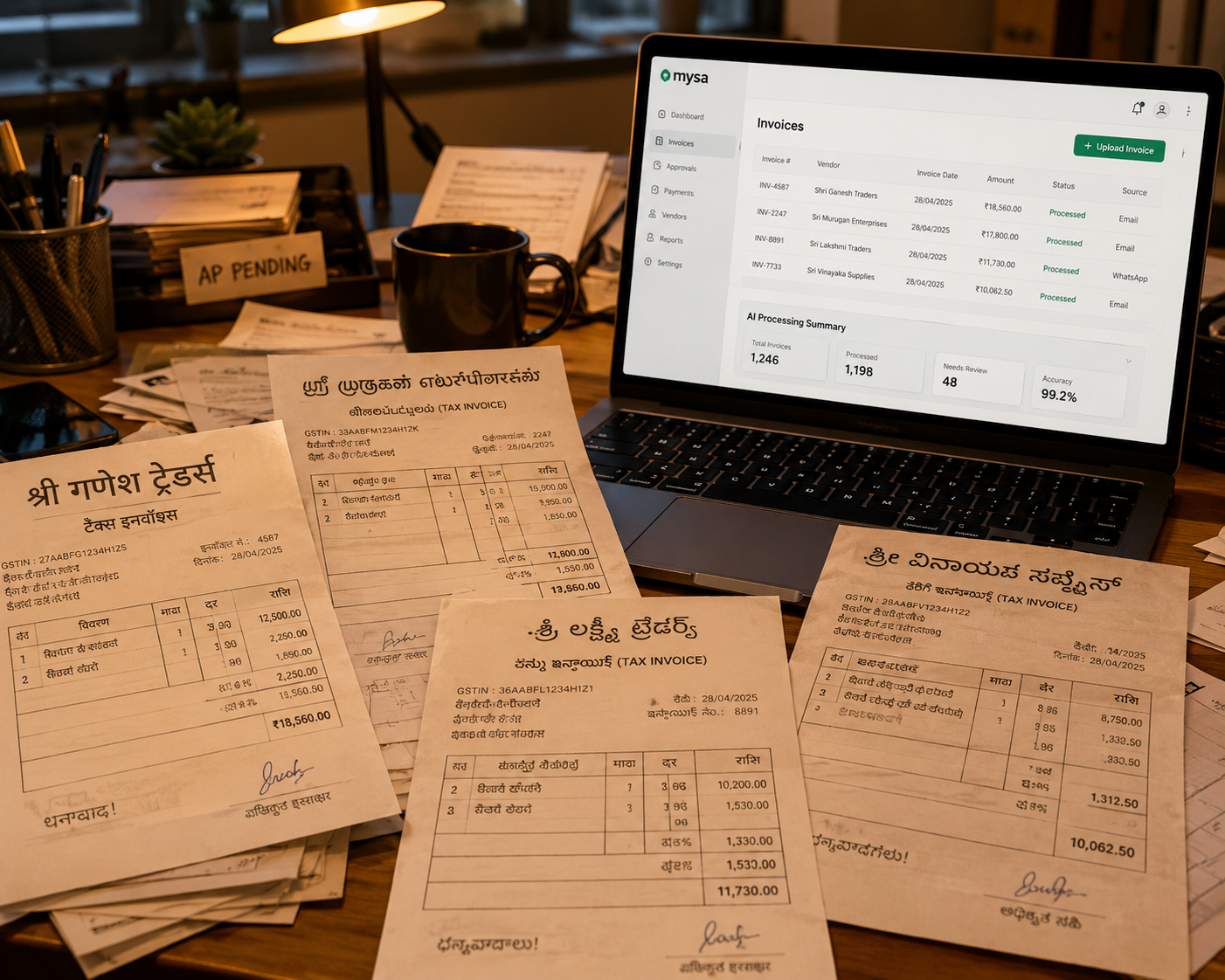
1. Automated Invoice Processing One of the most time-consuming aspects of accounts payable is manual invoice processing. Modern invoice processing solutions leverage advanced OCR (Optical Character Recognition) technology to automatically capture, validate, and process invoice data. This automation eliminates manual data entry, reducing processing time by up to 80% while significantly minimizing human errors.
The system should be able to:
Extract key information from invoices regardless of format or source Process PDFs, scanned documents, images, and electronic invoices Handle structured, semi-structured, and unstructured invoice formats Support multiple languages and currencies Recognize and extract line-item details, including quantity, unit price, and descriptions Capture vendor-specific information like tax IDs and payment terms Validate data against predefined business rules and existing records Automatically verify tax calculations and totals Check for duplicate invoices based on multiple criteria Validate vendor information against master data Ensure compliance with company-specific formatting requirements Verify purchase order references and contract terms Flag discrepancies for review while allowing clean invoices to flow through automatically Set up customizable tolerance levels for price and quantity variations Implement multi-level exception handling workflows Create automated alerts for specific types of discrepancies Enable quick resolution paths for common issues Track and report on exception patterns for process improvement Maintain a clear audit trail of all processing steps and modifications Record timestamp and user information for all actions Document system-generated vs. manual changes Store original documents alongside processed data Enable easy access to historical records Generate comprehensive audit reports How is this relevant to you Leading companies like Dhan , a fast-growing algorithmic trading and discount brokerage firm, and Plan B , a rapidly expanding D2C kids’ wear brand, show the impact of automated invoice processing.
For example, Dhan managed payments for over 900 vendors across 22+ departments, facing delays due to manual multi-level approvals, fragmented audit trails, and disorganized bank verifications. When they adopted Mysa’s AP automation platform, they centralized audit trails, automated approvals, and provided instant vendor notifications. This enabled faster approvals, complete visibility, and freed the time for strategic tasks.
Similarly, Plan B struggled with manual invoice uploads, disconnected ledgers, double data entry, and restrictive banking limits. After adopting the platform, they reduced invoice processing time by 98%, achieved touchless approvals, synchronized accounts in real-time, and streamlined vendor communications, allowing the finance team to scale operations efficiently while improving vendor relationships.
2. Intelligent Invoice Routing Efficient invoice routing is crucial for maintaining smooth approval workflows. A robust AP software should offer intelligent routing capabilities that automatically direct invoices to the appropriate approvers based on predefined rules, such as:
Invoice amount thresholds Configure multiple approval levels based on invoice values Set up different thresholds for different departments or cost centers Enable dynamic routing based on available approvers Implement emergency approval protocols for urgent payments Track approval time metrics by threshold level Department or cost center assignments Automatically route based on GL coding Support multiple department approvals for split invoices Enable cross-department visibility when needed Set up department-specific approval hierarchies Monitor departmental processing metrics 3. Customizable Approval Workflows Automated approval workflows are essential for maintaining control while accelerating the approval process. Your AP software should allow you to:
Configure multi-level approval chains Create role-based approval hierarchies Set up conditional approval paths Enable delegate approver assignments Implement approval matrices for complex organizations Configure approval rules based on business units Set up parallel approval paths for complex scenarios Enable simultaneous approvals from multiple stakeholders Configure weighted approval systems Set up conditional approval branches Implement voting-based approval mechanisms Track parallel approval progress 4. Three-Way Matching Capabilities To ensure payment accuracy and prevent fraud, implement robust verification processes with three-way matching functionality that automatically verifies:
Purchase order details against received goods Match line-item quantities and descriptions Verify delivery dates and locations Track partial receipts and backorders Handle multiple delivery locations Process batch receipts efficiently Invoice information against purchase orders and receiving documents Compare unit prices and total amounts Validate tax calculations and freight charges Match payment terms and discounts Handle currency conversions Process change orders and amendments Configuring matching tolerances Matching tolerances define the acceptable variance limits between purchase orders (POs), goods receipts, and vendor invoices, ensuring that the system flags only truly material discrepancies while automatically allowing minor, acceptable variances to pass. Many finance teams use tolerance ranges such as ±5% for price differences or ±2–3 units for quantity variances, depending on the category or vendor.
Proper tolerance configuration helps strike the right balance between strict financial control and operational efficiency. In this case, if the tolerances are too tight, the system generates a flood of exceptions, defeating the purpose of automation. If they are too loose, you risk overpayments or compliance gaps. These settings directly influence exception rates and the workload on AP teams.
Mysa supports fully customizable tolerance levels at the vendor, item, or category level, allowing organizations to tailor controls to their specific procurement and vendor management practices.
5. Vendor Management Portal A comprehensive vendor management system should provide a self-service portal where suppliers can:
Submit invoices electronically Support multiple file formats Provide real-time validation Enable batch invoice submission Offer mobile submission capabilities Provide immediate confirmation and tracking Check payment status in real-time View processing status updates Access payment schedules Download remittance advice Track payment history Set up payment notifications From the vendor’s perspective, a self-service portal significantly reduces the need to email or call the AP team for updates, often lowering inquiry volumes by 30–50%. Faster visibility into invoice status and payment timelines also shortens overall payment cycles, strengthening vendor relationships and improving trust. With clearer transparency and fewer delays, vendors are more likely to offer and honor early-payment discounts, increasing the company’s ability to capture savings that would otherwise be missed.
6. Payment Processing and Scheduling Advanced bill payment platform capabilities should include:
Support for multiple payment methods Support virtual card payments Manage check printing and mailing Enable real-time payments Process UPI payments for small vendors Support IMPS for instant transfers Handle international wire transfers for overseas vendors Generate payment files in bank-specific formats (HDFC, ICICI, Axis, SBI, and others) Automated payment scheduling Set up recurring payment schedules Optimize payment timing for cash flow Capture early payment discounts Handle payment holds and releases Manage payment priorities Analyze the payment scheduling timeline to optimize cash flow 7. Reporting and Analytics Your AP software should provide comprehensive reporting tools that offer:
Real-time visibility into invoice status and payment cycles Track invoice aging in real-time Monitor approval bottlenecks Analyze processing times Track exception rates and patterns Generate cash requirement forecasts Customizable dashboards for different user roles Create role-specific metrics Enable drill-down capabilities Set up automated alerts Configure custom report schedules Share insights across teams Critical AP metrics to track To ensure your accounts payable function is operating efficiently and strategically, track these key performance indicators (KPIs):
Average invoice processing time : Measures end-to-end efficiencyCost per invoice processed : Tracks operational expensesInvoice approval cycle time : Identifies bottlenecks in workflowDiscount capture rate : Monitors savings captured from early paymentsException rate percentage : Flags process issues requiring manual interventionVendor payment accuracy : Ensures payments match invoice and contract termsDays payable outstanding (DPO) : Evaluates working capital and cash flow managementPercentage of touchless invoices : Measures automation effectivenessThese KPIs provide actionable benchmarks, helping finance teams identify opportunities for process improvement, cost reduction, and stronger vendor relationships.
8. Document Management A robust document management system is crucial for maintaining organization and compliance. Look for essential features such as:
Centralized storage for all AP-related documents Organize documents by type and category Enable quick document retrieval Support bulk document processing Maintain version control Enable document relationship mapping Advanced search capabilities Perform a full-text search across documents Filter by multiple criteria Save frequent searches Enable batch actions on search results Export search results for analysis 9. Integration Capabilities Modern AP software should seamlessly integrate with:
ERP systems and accounting software Integrate with popular Indian ERP platforms like Tally and Zoho Books Enable bi-directional sync to keep master data and transactions consistent across systems Support for Indian Accounting Standards (Ind AS) to ensure compliance Post transactions in real-time and maintain consistent audit trails across entities Handle multi-entity environments and support batch synchronization Banking platforms Direct integration with major Indian banks: ICICI HDFC Axis Yes Bank Kotak Enable direct bank feeds and automated reconciliation Support bank-specific payment file formats for smooth transactions Process payments in real-time and handle multiple bank accounts Support international banking formats for cross-border transactions Additional integration points GST filing software (e.g., ClearTax, Tally GST) for automated compliance and return filing Expense management tools for seamless cost capture and approvals Procurement/ Purchase Order systems to link purchase requests with invoices and payments Communication platforms like Slack or Microsoft Teams for automated notifications and alerts The key integrations for a modern AP software ecosystem 10. Security and Compliance Essential security features should include:
Role-based access controls Define granular permission levels Implement segregation of duties Track user activity logs Enable temporary access provisions Manage user groups efficiently Compliance with relevant standards Follow industry-specific regulations Provide compliance reporting tools India-specific compliance features GST invoice validation and reconciliation TDS calculation and deduction automation for vendor payments Form 16A generation for vendors MSME payment tracking and reporting Section 43B compliance for tax deductibility Digital signature support for statutory documents Modern AP platforms should comply with global and Indian security standards. ISO 27001 certification ensures a robust information security management system, while adherence to data residency requirements guarantees sensitive financial data remains within India. Compliance with the DPDPA (Digital Personal Data Protection Act) safeguards the personal and financial data of vendors and employees.
Additionally, SOC 2 Type II compliance provides enterprise customers with assurance that their data handling meets high standards for security, availability, and confidentiality.
Making the Right Choice for Your Business Selecting the right accounts payable software requires a structured evaluation process that aligns with your organization’s operational needs, growth plans, and financial objectives. It guarantees a smooth implementation, maximizes ROI, improves vendor relationships, and transforms AP into a strategic function.
Below is a comprehensive framework to guide your decision-making.
Assess Your Business Requirements Start with invoice volume and categorize it as low, medium, or high. Low-volume businesses may process fewer than 100 invoices per month, mid-sized companies between 100 and 500, and high-volume businesses above 500. Understanding the volume helps identify which automation features and workflows are critical.
Next, evaluate the complexity of approval hierarchies. Organizations with multiple departments, cost centers, or multi-level approvals need AP solutions that can handle conditional routing, exception management, and delegation. Consider the number of vendors and payment frequencies; businesses with hundreds of vendors and varied payment terms require advanced scheduling, multi-currency support, and reliable vendor management portals.
Integration requirements with your existing technology stack are also crucial. Assess how the AP system will connect with ERPs (like Tally or Zoho Books), banking platforms, GST filing tools, and other internal software. Additionally, evaluate team size and technical expertise, as smaller teams may benefit from more intuitive, low-maintenance solutions, whereas larger teams may require configurable, enterprise-grade capabilities. Finally, consider budget constraints and ROI expectations to ensure that the investment aligns with financial goals and delivers measurable benefits.
Key Evaluation Criteria Checklist Use this checklist to evaluate prospective AP software solutions systematically:
Ease of implementation (time to go live) User interface and learning curve Mobile accessibility for approvers Vendor onboarding process Customer support quality and availability Scalability as the business grows Total cost of ownership (licensing + implementation) Security certifications and compliance Integration capabilities with your ERP Customization flexibility in reporting Custom rule creation for invoice approvals Advanced scan facilities to cut the manual data entry of critical information Integrations with tools: procurement, payroll, etc. Real-time reporting and reconciliation Bank account verification Recommended AP software features by monthly invoice volume Red Flags to Watch Out For Be cautious of software that may create challenges post-purchase. Watch for:
Complex pricing structures with hidden costs Lengthy implementation timelines (greater than 3 months) Rigid workflows with no customization options Poor customer reviews regarding support quality Limited or inflexible integration options No trial or demo period offered Implementation Timeline Expectations Implementation typically follows a structured sequence: setup, data migration, testing, training, and go-live. Smaller organizations may complete this in 4–6 weeks, while medium- to large-sized companies may require 8–12 weeks, depending on complexity, integrations, and customization requirements. Your team should allocate resources for project management, data validation, and change management to ensure adoption across departments.
After going live, organizations usually begin to see measurable ROI within 3–6 months. Early benefits often include faster invoice processing, reduced errors, improved vendor satisfaction, and better visibility into cash flow. Planning a realistic timeline and preparing internal resources ensures smoother implementation and accelerates the path to strategic AP transformation.
Benefits of an Accounts Payable Automation Software As organizations strive for greater efficiency and accuracy in their financial operations, let's explore the compelling reasons why businesses across industries are embracing AP automation software to transform their financial operations.
The layered benefits of AP automation, from core to strategic 1. Enhanced Accuracy and Error Reduction One of the most significant advantages of implementing accounts payable automation software is the dramatic reduction in human errors. Manual data entry, a cornerstone of traditional AP processes, is prone to errors that can cost businesses significant time, money, and reputation. AP automation software eliminates these risks through:
Automated data capture and validation Intelligent document recognition Built-in error detection mechanisms Standardized processing protocols These features enable teams to capture invoice data correctly the first time and minimize downstream corrections.
2. Significant Time and Cost Savings The financial impact of implementing AP automation software extends far beyond error reduction. Organizations can achieve substantial cost savings through:
Lower manual labor costs Faster invoice processing cycles Reduced administrative overhead Fewer late payment penalties Many organizations report substantial reductions in per-invoice processing costs after automation.
3. Enhanced Visibility, Control, and Analytics AP automation provides real-time insight into invoice activity, spending, and cash flow. Finance teams gain better oversight and use data to make informed decisions. Some of the other benefits include:
Real-time invoice status visibility Detailed audit trails Spending and cash flow analytics Key performance indicator tracking Custom reporting and trend analysis This visibility strengthens financial control and supports proactive management.
4. Stronger Compliance, Security, and Fraud Prevention AP automation strengthens compliance and protects sensitive financial data by embedding controls directly into the process. Organizations reduce risk while meeting regulatory requirements.
Here’s how:
Automated compliance checks Secure approval controls and audit logs Role-based access and authentication Encrypted data storage and transmission Built-in fraud detection mechanisms These safeguards help prevent payment fraud, errors, and unauthorized access.
5. Streamlined Workflows and Efficient Invoice Routing Automation accelerates invoice movement by eliminating manual handoffs and approval delays. Teams route invoices accurately and resolve exceptions faster.
Capabilities include:
Rule-based invoice routing Configurable approval hierarchies Automated reminders and escalations Priority and exception handling These features reduce bottlenecks and keep invoices moving without disruption.
6. Scalability and Seamless Integration AP automation software adapts to organizational growth and connects easily with existing financial systems. Teams scale operations without redesigning processes.
Organizations benefit from:
Integration with ERP and accounting systems Support for multi-entity operations Flexible and scalable processing capacity Ongoing feature updates Global and multi-currency support This flexibility ensures the AP solution continues to meet evolving business needs.
The Bottom Line The adoption of accounts payable automation software is no longer just an option—it's a strategic necessity for organizations looking to maintain competitive advantage in today's business landscape. With benefits ranging from cost savings and improved accuracy to enhanced security and better vendor relationships, AP automation software provides a comprehensive solution for modernizing financial operations.
For organizations looking to implement AP automation, it's crucial to choose a solution that offers comprehensive invoice processing checks and meets specific business requirements. The right solution should not only address current needs but also provide the flexibility and scalability to support future growth.
When evaluating potential solutions, businesses should consider platforms that offer extensive validation checks to ensure accurate and efficient processing. By carefully selecting and implementing the right AP automation software, organizations can transform their accounts payable function from a cost center into a strategic asset that drives business value and growth.
Transform Your AP Operations With Mysa Managing accounts payable is increasingly complex for Indian businesses. From manual invoice processing and multi-level approvals to compliance with GST, TDS, and RCM regulations, finance teams often face time-consuming workflows, error-prone data entry, and fraud risks. These challenges can slow operations, increase costs, and strain vendor relationships.
Mysa addresses these pain points head-on, providing a comprehensive AP automation solution tailored for Indian businesses. Here’s how:
1. Complete AP Workflow Coverage Mysa automates the entire accounts payable cycle. The platform offers intelligent invoice extraction, AI-driven categorization, multi-level, mobile-friendly approval workflows, and, finally, payment scheduling and reconciliation.
This holistic approach means fewer handoffs, fewer mistakes, and faster processing.
2. India-Specific AP Automation Mysa’s advanced OCR and validation engine is designed specifically for Indian tax and regulatory requirements. The platform automatically interprets GST, TDS, and RCM components and performs 22+ validation checks per invoice.
Beyond accurate invoice processing, Mysa automates multi-level approval workflows with mobile-friendly notifications, so approvers sign off quickly and transparently. Vendors complete onboarding through self-service portals, and the system updates Tally and other ledgers in real time.
Similarly, finance teams track every transaction, catch discrepancies immediately, and maintain full audit trails, reducing errors, saving time, and boosting confidence in payments. By eliminating manual errors and ensuring compliance, Mysa gives finance teams confidence in every transaction.
3. Advanced Fraud Prevention and Security Security is the backbone for any financial operations.. Mysa includes advanced 30+ checks and validations to detect duplicate invoices, spot suspicious vendor behavior, tampered bill details and monitor changes to banking details. Role-based access and audit trails further ensure that you have visibility and control at every step.
4. Real-Time Visibility and Reporting With Mysa, finance leaders get real-time insights via customizable dashboards. You can track spend across branches, Mysa Categories, BUs, CCs, Departments and more, , payment cycles and compliance metrics, all in one place. This visibility helps you make informed decisions, improve cash flow, and strengthen vendor relationships.
5. Custom rule creations and Integrations: Mysa offers deep integrations with banks which lets the user avail multi-banking features, and with that they can make payments from multiple bank accounts simultaneously. They can also sync their procurement data, payroll data into Mysa and centrally perform payments and accounting from Mysa. Take the Next Step Now
Built specifically for Indian finance teams, Mysa helps you scale, automate, and secure your AP operations without compromising on compliance or control. Book a free demo today and get a custom ROI analysis that shows how much you can save. No credit card required.
FAQs 1. How can automated invoice approval workflows improve efficiency in accounts payable? Automated invoice approval workflows enable features like dynamic routing based on rules, multi-level approval hierarchies, parallel approval paths, mobile approvals, and real-time status tracking. These capabilities significantly accelerate the approval process, reducing processing times by up to 75% compared to manual methods.
2. What are the benefits of implementing three-way matching capabilities in AP software? Three-way matching functionality in AP software automatically verifies invoice information against purchase orders and receiving documents. This ensures payment accuracy, prevents duplicate or fraudulent payments, and virtually eliminates errors. It also helps maintain tight control over expenditures and improves compliance.
3. How does AP automation software help prevent payment errors and fraud? AP automation solutions incorporate sophisticated validation checks, including pattern recognition for unusual invoice behavior, duplicate payment prevention, monitoring vendor bank details, and real-time fraud risk alerts. These features, combined with a comprehensive audit trail, strengthen an organization's defenses against payment fraud and errors.
4. What reporting and analytics features are essential for CFOs and finance managers in AP software? Critical reporting features for finance leaders include real-time visibility into invoice status and payment cycles, customizable dashboards for different roles, advanced analytics on processing times and exception patterns, cash flow forecasting capabilities, and comprehensive compliance reporting. These insights enable data-driven decision-making and continuous process improvement.
5. How can integrated vendor portals enhance supplier relationships in accounts payable? Vendor portals within AP automation software allow suppliers to submit invoices electronically, check payment status, access historical records, and communicate with the AP team. This improved transparency and self-service capabilities lead to faster payments, reduced inquiries, and better overall vendor satisfaction.
6. How long does it take to implement accounts payable software? Most AP software can be deployed in 4–12 weeks, depending on invoice volume, existing system integrations, and customization needs. Smaller businesses may go live in under a month, while larger enterprises often need 8–12 weeks for full rollout.
7. What is the ROI of accounts payable automation software? By reducing manual data entry, cutting processing time by 60–80%, and minimizing errors, AP automation often pays for itself within 3–6 months. Savings come from lower labor costs, fewer late‑payment fees, increased early‑payment discounts, and improved cash flow visibility.
8. Can AP software handle Indian tax compliance requirements? Yes. Leading AP platforms designed for Indian businesses, such as Mysa, support GST, TDS, and RCM validation, generate statutory reports, and maintain audit-ready records. This ensures compliance with India’s tax laws and simplifies vendor payment management.




.svg)

.svg)
.svg)
.png)
.png)

.svg)
.jpg)

.png)
.png)


